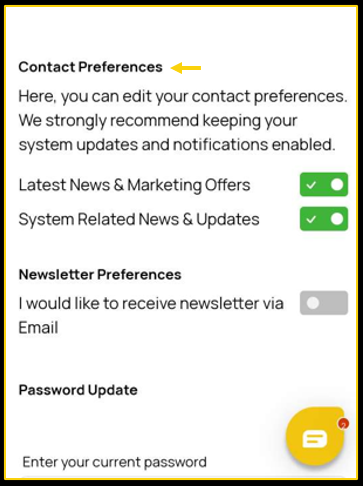

 Marketing preferences allow you to keep up to date with the latest news and offers as well as system-related news and updates. You are also able to receive our newsletters via email or SMS.
To opt out of receiving notifications, follow the steps below:
- Tap on the Settings menu.

- Scroll down to the bottom and you will see Contact Preferences.
- f the boxes are ticked as you can see above, you will be receiving the Latest News & Marketing Offers and System Related News & Updates.
- If you do not want to receive one of the above, you just need to untick the boxes.