

 Internal Transfers are carried out to move funds between your ThorFX wallets and live trading accounts.
To carry out an Internal Transfer from your Wallet to your Trading Platform, follow these steps:
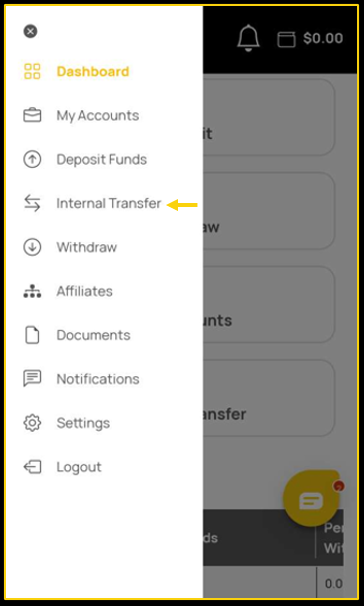
- Tap on the Internal Transfer tab.
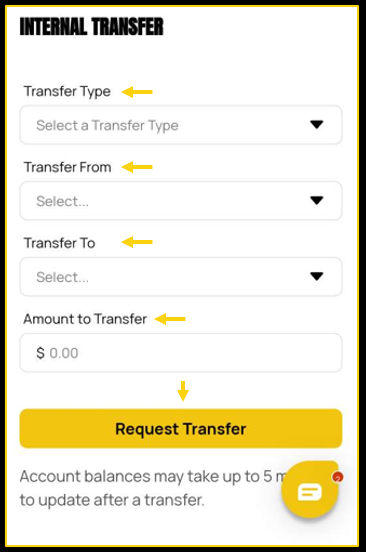
- Select the Wallet that you would like to move the funds from.
- Select the Trading Platform account to which you would like to move the funds.
- Enter the Amount that you would like to transfer.
- Tap on Request Transfer.
To make sure that your funds have gone into your account, click on the My Accounts tab on the left-hand side of your account. Over here you can see the balance of your account.
